![ASD_icon_4c.png]](https://knowledgebase.agrispraydrones.com/hs-fs/hubfs/ASD_icon_4c.png?width=50&height=50&name=ASD_icon_4c.png)
Click here to get to the CRM!
Creating an EAVision Account Using CRM
Key Steps:
Step 1: Access the CRM Web Page
-
Open your web browser (preferably Chrome).
-
Navigate to the CRM web page. https://web.eavtechus.com/wxCrm/#/pages/login/login
Step 2: Enable Location Settings
-
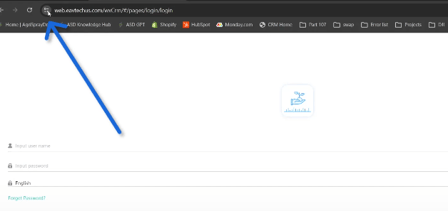
In the top corner of your screen, locate the menu icon (two lines with dots).
-
Click on the icon to open the context menu.
-
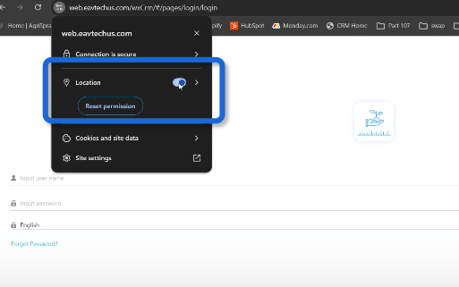
Enable your location by toggling the appropriate setting.
Step 3: Reload the CRM Page
-
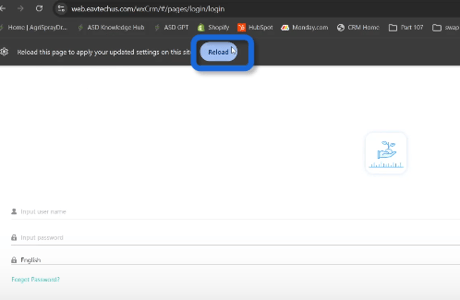
After enabling location, look for a prompt at the top of the screen to reload the page.
-
Click 'Reload' or use the refresh button in the top left corner.
Step 4: Locate the Sign-Up Button
-
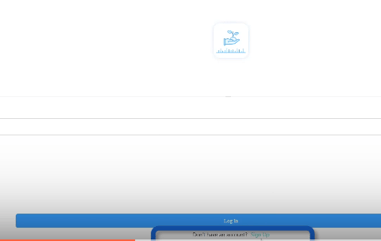
Once the page reloads, check for the sign-up button at the bottom of the page.
Step 5: Fill Out the Registration Form
-
Click on the sign-up button.
-
Fill in the required fields:
-
Country
-
Name
-
Email
-
Password
-
Step 6: Request Verification Code
-
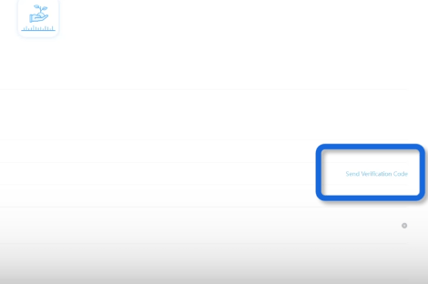
After filling out the form, find and click the 'Send Verification Code' button next to your email field.
Step 7: Check Your Email for Verification Code
-
Go to your email inbox and refresh the page.
-
Check your spam folder if the email does not appear.
Step 8: Enter Verification Code
-
Copy the verification code from your email.
-
Return to the CRM page and input the verification code in the designated field.
Step 9: Submit Registration
-
Click on 'Submit Registration' to complete the process.
Step 10: Log In to Your Account
-
After successful registration, enter your email and password to log in.
Cautionary Notes
-
Ensure that your browser is updated to avoid compatibility issues.
-
Double-check that you have entered your email correctly to receive the verification code.
Tips for Efficiency
-
Bookmark the CRM web page for quick access in the future.
Stay Informed: Subscribe to the Agri Spray Drones Newsletter
How to Subscribe
Subscribing is easy and takes less than a minute:
-
Visit Our Website
Go to www.agrispraydrones.com -
Scroll to the Bottom of the Homepage
Look for the “Subscribe to Our Newsletter” section. -
Enter Your Email Address
Type in the email address where you'd like to receive updates. -
Click “Subscribe”
Once you submit, you’ll be added to our mailing list and will start receiving valuable updates straight to your inbox.
Don’t Miss Out
Join thousands of ag professionals who trust Agri Spray Drones for the latest in drone spraying and precision ag.
Subscribe today — and let us help you take your operation to the next level.