![ASD_icon_4c.png]](https://knowledgebase.agrispraydrones.com/hs-fs/hubfs/ASD_icon_4c.png?width=50&height=50&name=ASD_icon_4c.png)
Note: When performing any upgrade, ensure you are upgrading to the most recent Firmware version by checking the release dates.
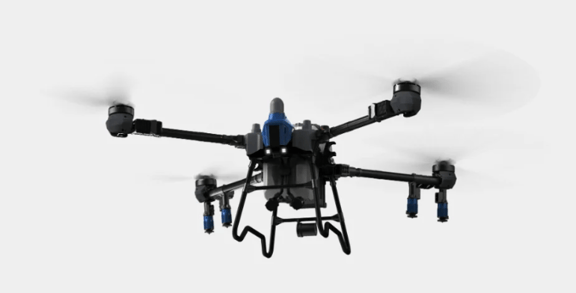
J150 New Firmware Version Upgrades as of 1/6/2026
- APP -- 6.0.1 (1180)
Download link (type exact URL in controller browser):
http://s.eav.top/6210c6b9 - UAV -- 6.3.206
- (CPU) -- 2.2.86
Added Features Listed Below:
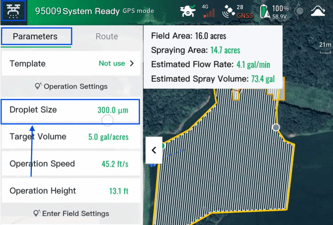
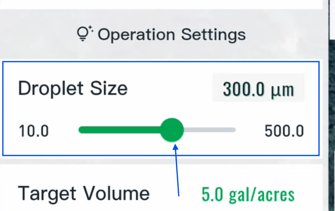
- New customizable 10-500 micron droplet size capabilities. (Previously it only went up to 300)
This feature allows you to slow the nozzle discs down or speed them up for more precise droplet size for your custom application. (This is specifically for the nozzle disc that come on the J150)
Select a field and go into operations settings, under 'Parameters' select 'Droplet Size' slide the bar up or down for your desired micron droplet size.
- Optimized small flow control
(This feature changes the way the flow meter calculates the flow.) With this you can do a custom calibration, that will allow low flow rates at an accurate rate for your operations.
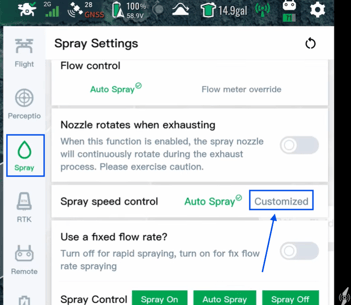
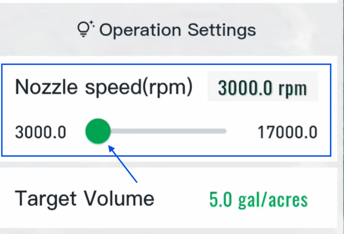
- Added custom function for nozzle rotation speed
(This feature allows you to customize the nozzle disc speed on custom nozzle discs that are NOT standard on the J150)
Go to settings, select spray settings, scroll down to 'spray speed control' and select 'customize' Now select a field and go into operations settings. The nozzle speed (rpm) is where you can adjust the RPM of the nozzle disc.
- Added Remote ID function.
After performing this update you may get a Remote ID Error (The Drone will not let you fly with this error).
Steps to fix the Remote ID error:
1. Go into Flight Settings.
2. Under the Remote section, Select 'Operator ID'
3. Fill in the box with your Part 107 Certification Number, and select confirm.
After completed the (Error should go away momentarily).
Click Here for Article on J150 Remote ID Error
Continuing to enhance the features and capabilities of the EAV J150!
Click Here for an article on J150 Checking What Firmware you're on
Click Here for J150 Current Up to Date Firmware List
Stay Informed: Subscribe to the Agri Spray Drones Newsletter
How to Subscribe
Subscribing is easy and takes less than a minute:
-
Visit Our Website
Go to www.agrispraydrones.com -
Scroll to the Bottom of the Homepage
Look for the “Subscribe to Our Newsletter” section. -
Enter Your Email Address
Type in the email address where you'd like to receive updates. -
Click “Subscribe”
Once you submit, you’ll be added to our mailing list and will start receiving valuable updates straight to your inbox.
Don’t Miss Out
Join thousands of ag professionals who trust Agri Spray Drones for the latest in drone spraying and precision ag.
Subscribe today — and let us help you take your operation to the next level.