![ASD_icon_4c.png]](https://knowledgebase.agrispraydrones.com/hs-fs/hubfs/ASD_icon_4c.png?width=50&height=50&name=ASD_icon_4c.png)
When a J150 arm isn't responding, a multimeter lets you test the ESC and Motor before you replace parts. You'll need a meter with a resistance mode and a continuity beep. These checks apply to the propulsion ESCs and motors on the four arms.
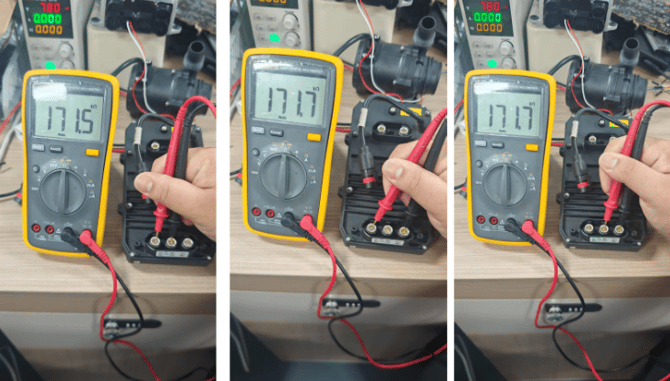
Start with the ESC itself. Fully power down the drone and disconnect the battery, then set the multimeter to resistance mode. Place the probes on two of the three ESC phase terminals and read the value. Repeat for each pair of terminals in turn. About 170 kΩ is a normal reading. A short between any two terminals means the ESC can't drive the motor. If the readings are normal, the problem is more likely the communication harness or the motor. The nozzle ESCs read differently (about 8.6 MΩ), so don't use this value to judge them.
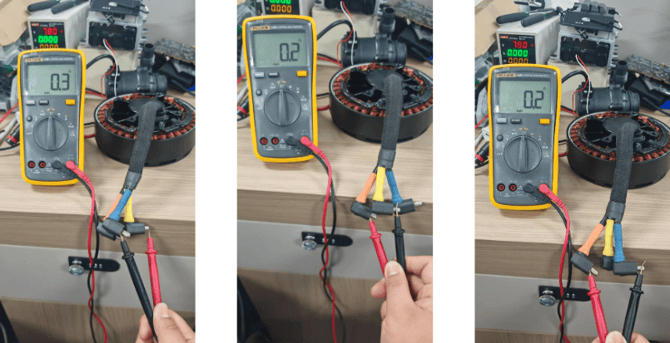
Then, rule out the motor. With power disconnected, measure between any two of the three motor phase terminals. About 0.2 Ω is normal, and an open circuit (infinite resistance) means a fault. If the ESC, CAN, and harness checks all pass and the motor reads open, the motor has failed.
For related steps, see our articles:
https://knowledgebase.agrispraydrones.com/j150-how-to-configure-your-esc-motor
https://knowledgebase.agrispraydrones.com/j150-how-to-wire-your-esc-and-motor