![ASD_icon_4c.png]](https://knowledgebase.agrispraydrones.com/hs-fs/hubfs/ASD_icon_4c.png?width=50&height=50&name=ASD_icon_4c.png)
J70 Spray Settings Overview:
1. Exhaust the Air
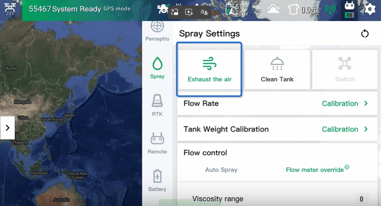
- Press the Exhaust Air Button to clear any trapped air from the line.
2. Clean Tank
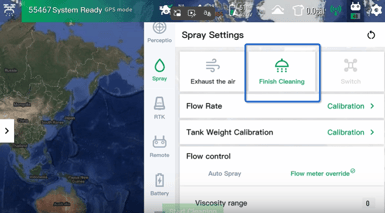
-
Use the 'Finish Cleaning' button to completely clear the tank of any liquid.
3. Switch
- The 'Switch' function will be grayed out because this is to switch to 4 nozzles. The J70 only has 2 nozzles so this does not apply. However, on your J150 RC this will be available.
4. Flow Rate Calibration
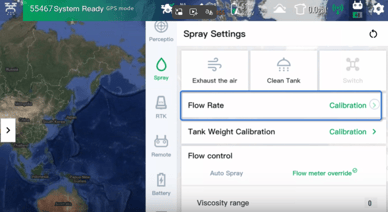
- Perform Flow Rate Calibration to ensure accurate flow measurement.
5. Standard Tank Weight Calibration
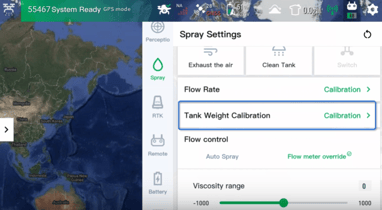
-
Conduct Standard Tank Weight Calibration for proper weight measurement.
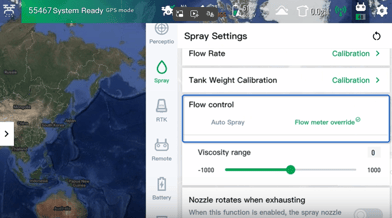
6. Manual Flow Control
-
Adjust the Flow Control to manually input the viscosity range.
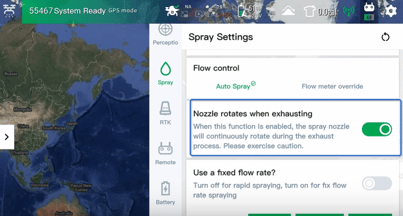
7. Nozzle Rotation Setting
-
Toggle the Nozzle Rotates When Exhausting option on or off as needed.
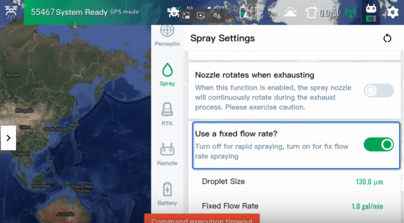
8. Fixed Flow Rate Adjustment
-
Use the Fixed Flow Rate setting to manually adjust droplet size and flow rate.
9. Spray Control Activation

-
Turn the spray on or off using the Spray Control feature.
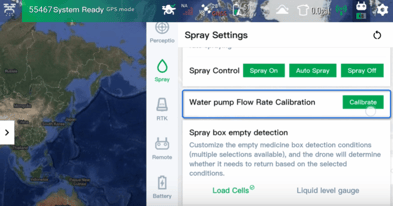
10. Water Pump Flow Rate Calibration
-
Calibrate the Water Pump Flow Rate for optimal performance.
11. Spray Box Empty Detection
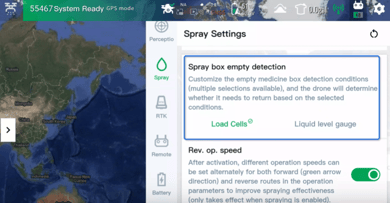
-
Select the sensor for Spray Box Empty Detection: load cells, liquid level gauge, or both.
12. Reverse Operation Speed Setting
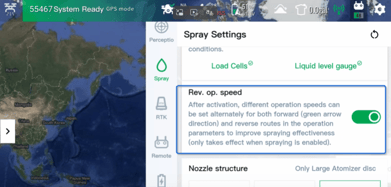
-
Set the Reverse Operation Speed according to operational needs.
13. Nozzle Structure Selection
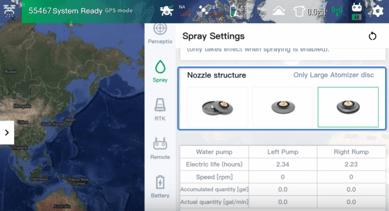
-
Choose the appropriate Nozzle Structure based on the drone's configuration.
14. Monitor Spray System Readouts
-
Check the readouts for water pump hours, speed, total gallons, and gallons per minute.
15. Access Additional Readouts
-
Press the See More Button to view additional data such as temperature and voltage.
Cautionary Notes
-
Ensure all calibrations are performed with the drone powered off to avoid accidents.
-
Always check for leaks after cleaning the tank or performing maintenance.
Tips for Efficiency
-
Regularly check and maintain the nozzles to ensure optimal performance.
-
Keep a log of calibration settings for future reference and consistency.
Stay Informed: Subscribe to the Agri Spray Drones Newsletter
How to Subscribe
Subscribing is easy and takes less than a minute:
-
Visit Our Website
Go to www.agrispraydrones.com -
Scroll to the Bottom of the Homepage
Look for the “Subscribe to Our Newsletter” section. -
Enter Your Email Address
Type in the email address where you'd like to receive updates. -
Click “Subscribe”
Once you submit, you’ll be added to our mailing list and will start receiving valuable updates straight to your inbox.
Don’t Miss Out
Join thousands of ag professionals who trust Agri Spray Drones for the latest in drone spraying and precision ag.
Subscribe today — and let us help you take your operation to the next level.